




TL;DR — What You'll Learn
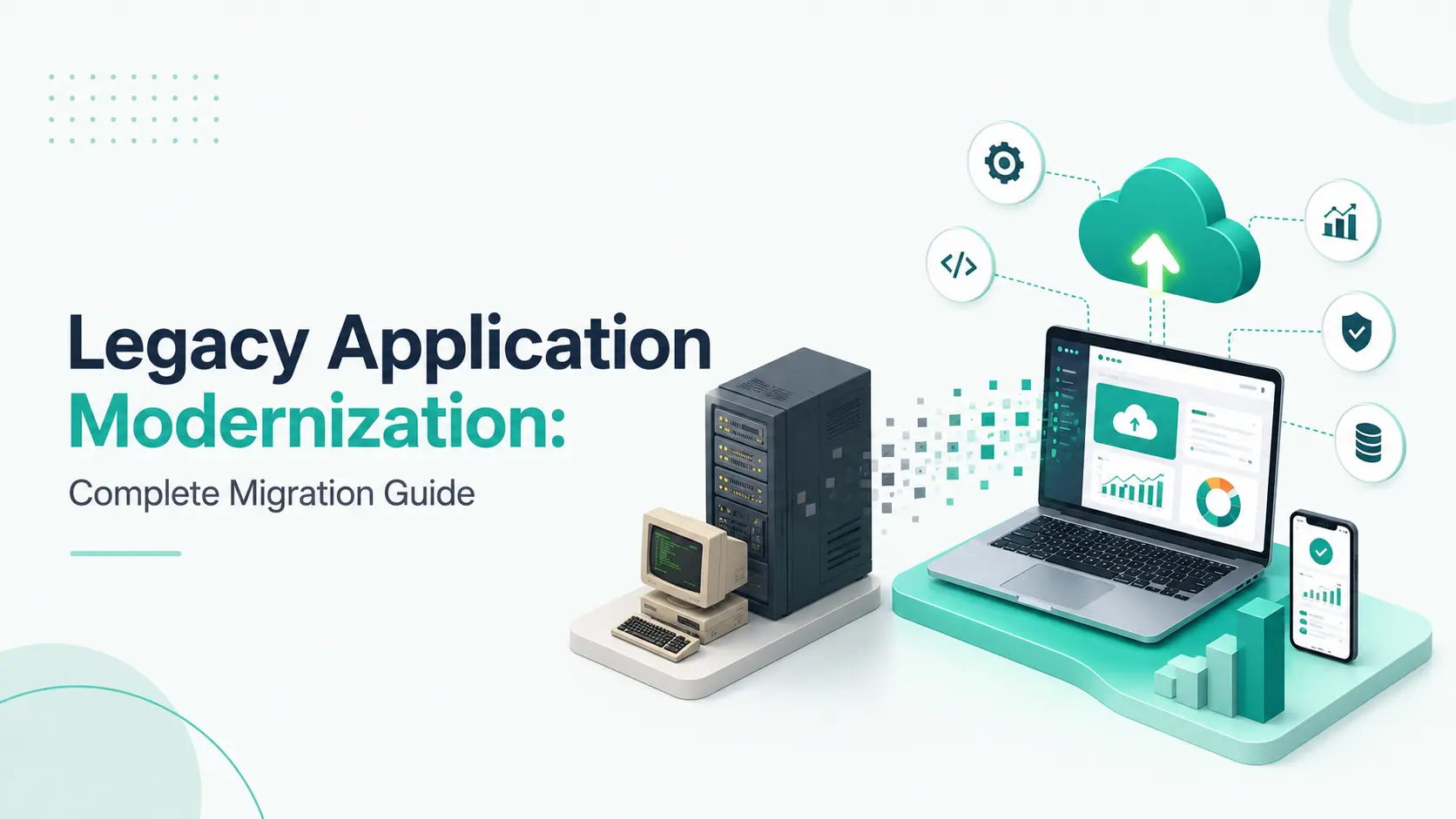
Learn how to modernize legacy applications with the right migration strategy, architecture, data planning, security, testing, and modernization approach.
Quick Answer
What is legacy application modernization?
Legacy application modernization is the process of transforming an older software application so it can support current business, security, integration, performance, and scalability requirements. Depending on the application's condition and business value, modernization may involve improving existing code, moving infrastructure, redesigning architecture, modernizing data, rebuilding selected components, or replacing the application entirely.
The best approach is not always a complete rewrite. A successful modernization strategy identifies what should be preserved, what needs to change, and how the transition can happen without unnecessarily disrupting business operations.
Introduction
Some of the most important applications inside a business are also some of its oldest.
They may have been developed years ago to support finance, operations, customer management, manufacturing, logistics, reporting, or other critical processes. Over time, additional features, integrations, databases, patches, and workarounds may have been added.
The application continues to work.
But maintaining it becomes increasingly difficult.
A simple enhancement may require extensive development effort. Connecting the system to a modern API may require custom work. Finding developers with knowledge of the original technology can become challenging. Security and infrastructure requirements may have changed significantly since the application was first built.
Eventually, the organisation faces a difficult choice:
Continue maintaining the existing system or invest in modernization?
The answer isn't always obvious.
Replacing a business-critical application can introduce significant risk. But keeping a system unchanged can create technical debt that limits future growth.
This is why legacy application modernization should be treated as a structured business and technology transformation rather than simply a software rewrite. For many organisations it sits alongside wider enterprise software development initiatives.
The objective is to retain valuable business capabilities while creating a technology foundation that is easier to maintain, integrate, secure, and evolve.
When a Legacy Application Becomes a Modernization Candidate
Age alone doesn't determine whether an application needs modernization.
A system can be old and still provide excellent business value.
The more important question is whether the technology is becoming a constraint.
Several signals can indicate that modernization deserves consideration, and that custom software development may be a better investment than continued patching.
Development Has Become Slow
Small changes require extensive analysis because the application has tightly connected components or complicated dependencies.
Integrations Are Becoming Difficult
The organisation needs modern APIs, cloud services, mobile applications, analytics, AI, or third-party platforms, but the legacy system wasn't designed to connect easily with them.
Security Is Increasingly Difficult
The application may rely on unsupported libraries, outdated authentication methods, older infrastructure, or components that are difficult to patch.
Technical Skills Are Disappearing
Developers with experience in the original technology may be difficult to recruit or retain.
Operating Costs Keep Increasing
Maintaining specialised infrastructure, manual deployment processes, and outdated technology can increase the total cost of ownership.
Users Expect More
Employees and customers increasingly expect responsive interfaces, mobile access, search, automation, integrations, and faster workflows.
When several of these issues appear together, modernization can become a strategic priority rather than an optional technical upgrade.
The First Question: What Should Actually Be Modernized?
A common mistake is assuming the entire application needs to change.
In reality, a legacy system can contain different levels of technical health.
One module may be stable and valuable.
Another may be difficult to maintain.
A third may no longer be needed.
A fourth may need to be replaced because it prevents integration with newer systems.
Before choosing a migration strategy, divide the application into meaningful capabilities.
For example:
- Customer Management
- Order Processing
- Reporting
- Payments
- Notifications
- Administration
Each capability can then be assessed independently.
This creates a more precise modernization plan.
Modernization Is About Preserving Business Value
Legacy software often contains years of accumulated business knowledge.
Some rules may exist only in code.
Some workflows may depend on undocumented processes.
Employees may also have developed workarounds that aren't recorded anywhere.
A modernization project that focuses only on technical architecture can accidentally remove important business behaviour.
Before changing the system, identify:
- Critical business processes
- Mandatory business rules
- Essential reports
- Important integrations
- Data dependencies
- User workflows
- Compliance requirements
- Features that are no longer required
The objective is not to preserve every old behaviour.
It is to preserve the behaviour the business still needs.
Assess the Current Application Before Migration
Modernization should begin with discovery.
A proper assessment can examine:
- Source code
- Application architecture
- Databases
- Infrastructure
- APIs
- Third-party integrations
- Authentication
- Security controls
- Dependencies
- Deployment processes
- Monitoring
- Performance
- Data flows
- User journeys
- Documentation
This assessment creates the current-state picture.
It also helps reveal hidden dependencies that may not appear in high-level system diagrams.
For complex applications, automated code analysis, dependency mapping, architecture reviews, and stakeholder interviews can all contribute to the assessment. Experienced software development services teams typically combine several of these methods.
Create a Modernization Scorecard
Once the current system is understood, each application or module can be evaluated against practical criteria.
| Area | Assessment Question |
|---|---|
| Business value | How important is this capability? |
| Technical health | How difficult is it to maintain? |
| Security | Does it create security or compliance concerns? |
| Integration | Can it connect with modern systems? |
| Performance | Does it meet current workload requirements? |
| Scalability | Can it support expected growth? |
| Cost | What does continued maintenance require? |
| Skills | Can the technology still be supported effectively? |
| User experience | Does it meet current expectations? |
| Future fit | Can it support the organisation's roadmap? |
This helps replace subjective decisions with a more structured evaluation.
Choose the Right Modernization Path
Once the current state is understood, the organisation can decide how much change is justified.
There are several possible paths.
Retain
If an application continues to meet business and technical requirements, keeping it unchanged may be reasonable.
Modernization isn't mandatory simply because newer technology exists.
Rehost
The application is moved to a different infrastructure environment with minimal application changes.
This can be useful when infrastructure is the primary concern and immediate application transformation isn't required.
Replatform
The application moves to a newer platform or runtime with selected modifications.
The objective is to gain modern infrastructure benefits without completely redesigning the application.
Refactor
The internal code structure is improved while preserving the application's overall behaviour.
This can address maintainability, performance, and technical debt.
Rearchitect
The application's underlying architecture is redesigned to address deeper limitations.
This may involve modularisation, APIs, event-driven components, new data layers, or other architectural changes.
Rebuild
The existing business capability is recreated using modern technology.
The new implementation can retain important requirements while avoiding the limitations of the old codebase.
Replace
The legacy application is retired and another product or platform takes over its responsibilities.
This may be appropriate when the cost and complexity of continued ownership no longer make business sense.
How to Select the Right Strategy
The correct strategy depends on the relationship between business value, technical condition, risk, and future requirements.
For example:
- A stable application with outdated infrastructure may be a candidate for rehosting.
- A valuable application with maintainability problems may benefit from refactoring.
- A highly coupled system that needs extensive integration may require rearchitecture.
- An application built on obsolete technology with little reusable code may be better suited to rebuilding or replacement.
The key is to avoid making the decision based on technology trends alone.
Define the Target State
After deciding what should change, define what the modern environment needs to achieve.
The target architecture may include:
- Modern web interfaces
- Mobile applications
- API-driven services
- Cloud infrastructure
- Modern databases
- Containerised workloads
- Automated deployment
- Centralised monitoring
- Identity and access management
- Event-driven components
- Integration services
Delivering this usually depends on cloud migration services combined with well-configured cloud and DevOps services.
But modernisation does not mean using every modern technology.
If a simpler architecture meets the requirements, it may be the better choice.
A useful principle is:
Use modern technology to solve a defined problem—not to create technology complexity.
Don't Force Microservices Into Every Modernization Project
Microservices can provide benefits for certain applications.
They can also introduce additional operational complexity.
A legacy application doesn't automatically need to become dozens of independently deployed services.
A well-structured modular application may be easier to develop, test, deploy, and operate.
Architecture should therefore be selected based on:
- Team capability
- Business requirements
- Deployment needs
- Scalability requirements
- Integration complexity
- Operational maturity
The objective is a sustainable architecture—not an impressive architecture diagram.
Plan the Migration Around Business Continuity
For business-critical systems, migration cannot be treated as a simple deployment.
The organisation needs to decide:
- What happens to the existing system during development?
- When does data move?
- How will systems operate during transition?
- Which users move first?
- How will integrations be handled?
- What happens if the migration fails?
- When can the legacy system be retired?
This is where migration planning becomes as important as software engineering.
Incremental vs Big-Bang Migration
There are two broad ways to approach a large transition.
Big-Bang Migration
The old system is replaced during one major cutover.
This can create a simpler final environment but may introduce significant operational risk.
Incremental Migration
Capabilities are moved in stages while the legacy system continues operating.
This allows teams to learn from each phase and reduce the amount of change introduced at one time.
For complex business applications, incremental modernization can often provide greater control.
The Strangler Approach
One incremental pattern is to gradually move capabilities away from the legacy application.
A simplified sequence looks like:
- Legacy Capability
- ↓
- Modern Replacement
- ↓
- Traffic or Workflow Transition
- ↓
- Validation
- ↓
- Legacy Capability Retired
The process is repeated for additional capabilities.
Over time, the legacy application becomes smaller while the modern platform takes over.
This can be particularly useful when replacing the entire application at once would create unacceptable business risk.
Data Migration Needs Its Own Strategy
Application modernization is often easier to discuss than data migration.
But data can be the most sensitive part of the transformation, and database development services are frequently required alongside application work.
A legacy database may contain years of:
- Customer information
- Transactions
- Historical records
- Relationships
- Reference data
- Operational information
- Archived information
Before migration, teams need to understand:
- What should move?
- What should be archived?
- What needs transformation?
- What can be retired?
- What must remain accessible for compliance or business reasons?
These decisions should be made before the migration begins.
Clean the Data Before Moving It
A modern database can still contain legacy data problems.
Migration is an opportunity to identify:
- Duplicate records
- Missing values
- Invalid formats
- Inconsistent naming
- Outdated records
- Broken relationships
- Unused fields
Data cleansing can improve the quality of the new system and reduce future maintenance problems.
A useful principle is:
Don't migrate every problem just because it exists in the old database.
API Modernization
Many legacy applications were designed around their own user interface and internal database.
Modern digital ecosystems require systems to communicate with each other, which is where API integration services become essential.
An API layer can create a cleaner boundary between the legacy environment and newer applications.
This can support:
- Web applications
- Mobile applications
- Partner systems
- Automation
- Analytics
- AI applications
- External services
API modernization can therefore become an important step even when the legacy backend cannot immediately be replaced.
Modernizing the User Experience
The backend isn't always the only problem.
A legacy application may still contain valuable business logic while providing an outdated interface.
In some cases, a modern user interface can be introduced while the existing backend is gradually transformed. This typically combines UI/UX design services with modern web development services.
This can improve:
- Navigation
- Responsiveness
- Mobile access
- Search
- Dashboards
- Accessibility
- Workflow efficiency
This layered approach can deliver visible business improvements while deeper modernization continues behind the scenes.
Security Must Be Part of the Transformation
Security should not be treated as a final migration checklist.
Modernization creates an opportunity to address weaknesses accumulated over years.
Areas to review include:
- Authentication
- Authorization
- Encryption
- API security
- Secrets management
- Network controls
- Dependency vulnerabilities
- Logging
- Monitoring
- Access management
- Backup and recovery
Moving an old application to modern infrastructure does not automatically make it secure.
The target architecture needs security controls designed into it.
Testing the Modernized Application
Modernization introduces a unique testing challenge.
The new system may use completely different technology while still being expected to preserve important business outcomes.
Testing should therefore cover multiple dimensions.
Functional Testing
Does the system perform the required operations?
Regression Testing
Do existing business processes still work?
Integration Testing
Do connected applications communicate correctly?
Data Validation
Was information migrated correctly?
Performance Testing
Can the new system handle expected workloads?
Security Testing
Are authentication, authorization, and security controls working appropriately?
User Acceptance Testing
Can real employees complete their day-to-day tasks?
Running Legacy and Modern Systems Together
During incremental migration, old and new components may need to coexist.
This can create temporary architecture such as:
Modern Application → Integration Layer → Legacy System
The integration layer can reduce direct dependencies between the new and old environments.
However, teams should define how long these transitional connections will remain.
Temporary architecture has a tendency to become permanent if it isn't included in the modernization roadmap.
Cloud Migration Is Not the Same as Modernization
Cloud platforms can provide valuable capabilities such as:
- Managed infrastructure
- Elastic resources
- Managed databases
- Automated deployment
- Monitoring
- Infrastructure automation
- Geographic availability
But simply moving a legacy application to the cloud does not necessarily modernize its architecture. True cloud application development involves rethinking how the system is structured.
An application can still have:
- Outdated code
- Tight coupling
- Manual deployment
- Legacy dependencies
- Inefficient database design
Cloud migration can be part of modernization, but the two concepts should not be treated as identical.
Where AI Fits Into Modernization
AI can become an important part of a modern application strategy.
Potential applications include:
- Intelligent search
- Document processing
- Conversational interfaces
- Recommendation systems
- Automated classification
- Predictive insights
- Workflow assistance
But AI should be introduced where it solves a meaningful business problem. Scoping this with an experienced AI development services team helps avoid unnecessary complexity.
Adding AI before fixing fundamental issues with data, security, APIs, and architecture can increase complexity.
A practical sequence may be:
Assess → Stabilise → Modernize → Integrate → Automate → Optimise
AI can then be introduced where it provides measurable value, and generative AI development often begins with a single well-defined use case.
Managing Modernization Risk
Legacy transformation can involve technical, financial, operational, and organisational risks.
Common examples include:
- Hidden dependencies
- Incomplete documentation
- Data migration failures
- Unexpected business rules
- Integration problems
- Scope expansion
- User resistance
- Performance issues
- Security gaps
- Unexpected downtime
Risk can be reduced through:
- Detailed discovery
- Controlled scope
- Pilot migrations
- Incremental releases
- Automated testing
- Data validation
- Monitoring
- Stakeholder involvement
- Rollback planning
The objective isn't to pretend risk doesn't exist.
It is to identify and control it.
Deployment, Cutover, and Rollback
A modernization project should have a clear release strategy before production migration.
The plan should cover:
- Deployment sequence
- Data synchronisation
- Validation checks
- Monitoring
- User communication
- Cutover criteria
- Rollback conditions
- Backup procedures
- Recovery procedures
A rollback plan is particularly important for business-critical applications.
A strong migration plan assumes that unexpected problems are possible and prepares for them.
Modernization Is Also a People Problem
Technology changes can affect employees as much as they affect infrastructure.
People who have used a legacy system for years may be accustomed to specific screens and processes.
The new system may change:
- Navigation
- Workflows
- Reports
- Roles
- Responsibilities
- Data access
User involvement should therefore begin before final deployment.
Useful activities can include:
- Demonstrations
- Pilot programmes
- User acceptance testing
- Training
- Feedback sessions
- Documentation
A technically successful modernization can still fail if the people using the system cannot adopt it effectively.
How to Prioritise Applications in a Large Portfolio
Large organisations may have many legacy applications.
Modernizing all of them at once is rarely practical.
A useful prioritisation model considers:
Business Criticality + Technical Risk + Modernization Benefit + Feasibility
A high-priority application may:
- Support an important business process
- Have significant maintenance challenges
- Block new integrations
- Create security concerns
- Increase operational costs
- Prevent new digital initiatives
The oldest application isn't necessarily the first one that should be modernized.
The best starting point is often the application where modernization can produce meaningful business value with manageable risk.
A Practical Legacy Modernization Roadmap
A modernization programme can follow a staged approach.
Phase 1: Discover
Understand the application, users, dependencies, infrastructure, and business processes.
Phase 2: Assess
Identify technical debt, security concerns, data issues, integration constraints, and operational risks.
Phase 3: Prioritise
Determine which applications and capabilities should be addressed first.
Phase 4: Define the Target State
Establish the desired architecture, technology environment, security model, and user experience.
Phase 5: Pilot
Modernize a carefully selected capability to validate the approach.
Phase 6: Migrate
Move additional components through controlled releases.
Phase 7: Validate
Test functionality, data, security, integrations, performance, and user acceptance.
Phase 8: Optimise
Improve the new environment based on real operational experience.
Phase 9: Retire
Decommission legacy components once their responsibilities have been safely transferred.
What to Ask Before Starting a Modernization Project
Before committing to implementation, leadership teams should be able to answer several questions.
Business
- Why does this application need to change?
- What business outcome are we targeting?
- Which processes cannot be disrupted?
Technology
- What are the application's biggest technical constraints?
- Which components can remain?
- Which components need transformation?
Data
- What information needs to move?
- How reliable is the current data?
- What must be retained for business or compliance reasons?
Integration
- Which systems depend on the application?
- Which APIs need to change?
- Are there undocumented dependencies?
Users
- Who relies on the application?
- Which workflows are critical?
- What training will be required?
Risk
- What happens if the migration fails?
- How quickly can the business recover?
- What is the rollback strategy?
Answering these questions early can prevent expensive surprises during implementation.
How mTouch Labs Approaches Legacy Application Modernization
At mTouch Labs, we approach legacy application modernization as a business transformation supported by technology—not simply as a code migration exercise. As a custom software development company, we start with the business outcome rather than the codebase.
Depending on the environment, our modernization work can involve:
- Legacy application assessment
- Application architecture analysis
- Modernization strategy
- Web application modernization
- Mobile application modernization
- API development
- Cloud migration
- Database modernization
- UI/UX transformation
- System integration
- Security improvements
- Quality assurance
- Deployment
- Post-modernization support
The appropriate approach depends on the existing application, business priorities, technical constraints, and future roadmap. For larger environments this often connects with our enterprise application development capability.
For some systems, incremental transformation may be the safest option.
For others, rearchitecture or rebuilding may provide greater long-term value.
The objective is to find the right balance between:
Business continuity + Technical improvement + Investment + Future flexibility
Legacy Modernization Checklist
Before starting a modernization programme, confirm that you have:
- A current-state architecture
- An application dependency map
- A clear business objective
- A modernization scorecard
- A target architecture
- A migration strategy
- A data migration plan
- An integration inventory
- A security assessment
- A testing strategy
- A deployment plan
- A rollback strategy
- User acceptance criteria
- Stakeholder ownership
- A post-migration support plan
These foundations can make a complex transformation significantly easier to manage.
Final Thoughts
Legacy applications often contain years of business knowledge.
That makes modernization different from building a new application from scratch.
The objective isn't to remove everything old.
It is to determine:
- What should stay?
- What should change?
- What should be replaced?
- How can the transition happen without unnecessarily disrupting the business?
A successful modernization programme starts with discovery and ends with measurable improvement.
The journey can be summarised as:
Discover → Assess → Prioritise → Architect → Migrate → Validate → Optimise
For one organisation, modernization may mean moving infrastructure to the cloud.
For another, it may involve introducing APIs and a modern frontend.
For a more complex environment, it may require database transformation, architectural restructuring, or rebuilding critical components.
There is no single modernization formula.
The right strategy is the one that reduces technical limitations, protects important business capabilities, controls migration risk, and prepares the organisation for future change.
At mTouch Labs, we approach legacy application modernization with that principle:
Modernize with purpose. Migrate with control. Build for the future without unnecessarily disrupting what already works.
Contact mTouch Labs to discuss your modernization roadmap.
Frequently Asked Questions
What is legacy application modernization?
Why do businesses modernize legacy applications?
Does legacy modernization always require rebuilding?
How long does legacy application modernization take?
How much does legacy application modernization cost?
Can a legacy application be moved to the cloud without rebuilding it?
What is the difference between migration and modernization?
How can legacy data be migrated safely?
Should every legacy application become microservices?
How can mTouch Labs help with legacy application modernization?
🎯 Key Takeaways
Learn how to modernize legacy applications with the right migration strategy, architecture, data planning, security, testing, and modernization approach.